
Type to speak
ALS: type to speak in your own Personal Voice
If ALS is making it harder to talk, you can type what you want to say and have it spoken out loud. TBoard is a letter board that speaks, on iPhone, iPad, and Android phones and tablets.
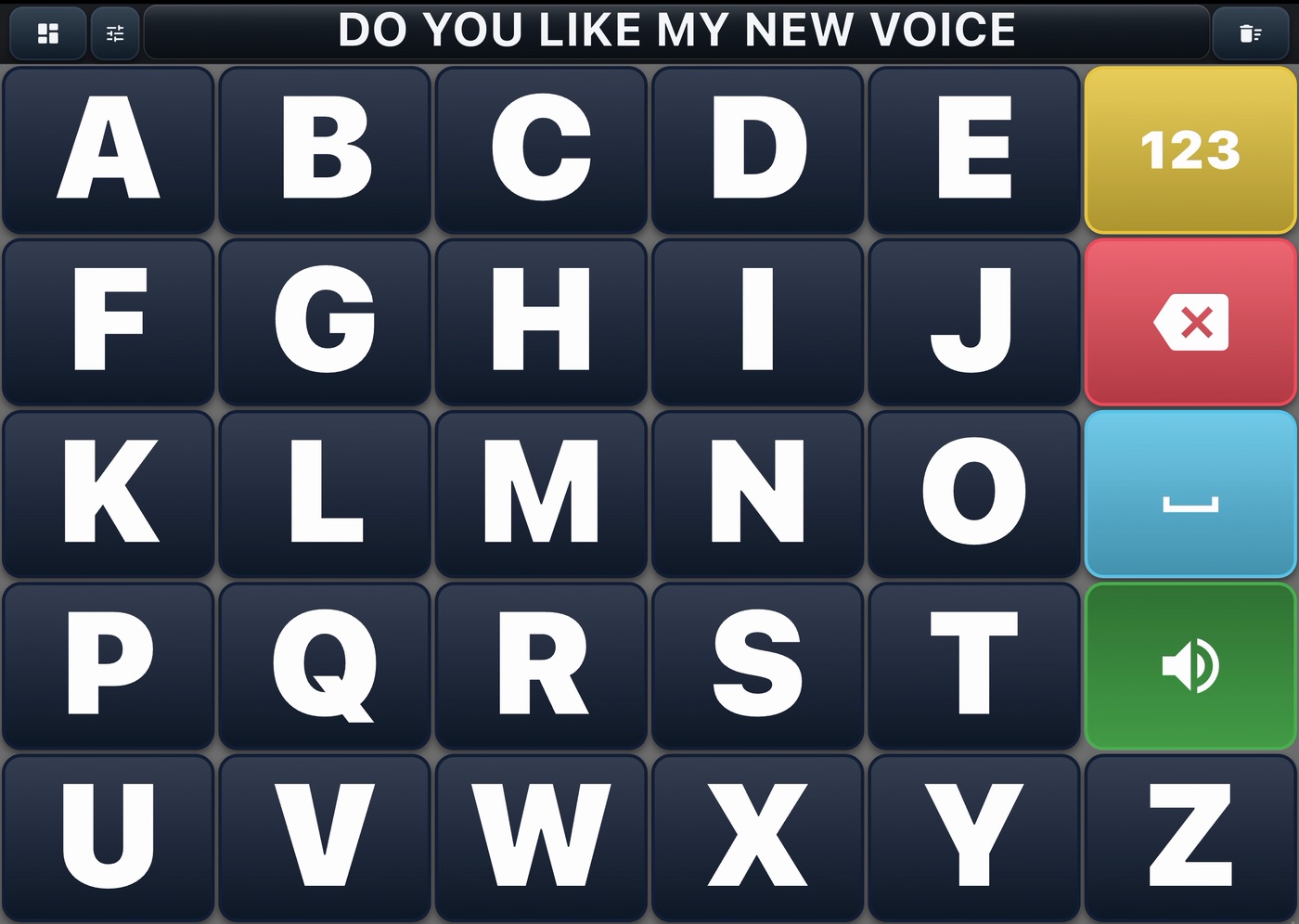
Your own voice, with Apple's Personal Voice
Personal Voice is an Apple feature on iPhone and iPad. You make it by reading a set of phrases aloud, so it has to be recorded while you can still do that. Apps you allow can then speak with it, and TBoard is one of them.
- Make your Personal Voice in the Settings app: Accessibility, then Personal Voice.
- In TBoard, open Voice settings and tap Use your own voice · Personal Voice.
- Allow access when your iPhone or iPad asks. TBoard then speaks in your Personal Voice.
Personal Voice needs iOS 17 or later (iPadOS 17 or later on iPad) on a supported device. It's an Apple feature, so it isn't on Android.
Other voices
TBoard also has ten premium voices. Each one downloads once, then works offline. Or use the voices already on your phone or tablet.
If touching the screen gets harder
- Tap guard ignores a second tap that comes too quickly, so a finger that lands twice types once. The app's own advice: 0.5 seconds suits most people; lengthen it if taps are still landing twice. It goes up to 2 seconds.
- Tap timing. With On touch, a key types the moment your finger lands. With On lift, it types when you lift your finger, so if you land on the wrong key you can slide off before lifting and nothing is typed.
- Bigger keys. The 3-Stencil board splits the alphabet across three panels, A–I, J–R and S–Z, to keep large keys while covering the full alphabet.
Phrases in one tap
Make a board of the things you say most. In My Boards, tap Add board and choose Grid of keys. Type a phrase on each key and, under When tapped, choose Speaks only. One tap then says the whole phrase.
To keep a message you've typed, tap the text bar, then Save to Scrapbook, so you can speak or send it again later.
What TBoard doesn't do
TBoard is made for touch. It has no switch scanning, head tracking or eye-gaze control. If using a touchscreen becomes too hard, a speech-language pathologist can help you find a system that has those.
Try it free today.
TBoard for iPhone, iPad, and Android phones and tablets.

A paper board too
A free printable alphabet board is handy for a hospital stay, or when the battery runs low.